













REGISTER AND WAIT FOR YOUR ACCOUNT TO BE ACTIVATED, OR LOG IN IF YOU ARE ALREADY A CUSTOMER TO VIEW PRICES AND MAKE PURCHASES.

Products

Smartphone Parts & Accessories – Wide Selection at EL-Hope

At EL-Hope, you’ll find a vast selection of replacement parts and accessories for smartphones and tablets from leading brands. We offer original and compatible components for iPhone, Samsung, Xiaomi, and many other models – perfect for repair technicians and resellers.

EL-Hope – Your trusted partner for smartphone repairs and wholesale solutions in Europe.

Products

Active filters

  • Brand: Apple
  • Brand: NINTENDO
  • Brand: OPPO

BATTERY DIAGNOSTICS ERROR REMOVAL PERCENTAGE CHARGE FOR IPHONE 14 PLUS

BATTERY DIAGNOSTICS ERROR REMOVAL PERCENTAGE CHARGE FOR IPHONE 14 PLUS 4325 mAh OPEN THE LINK BELOW FOR THE DEMONSTRATION VIDEO. ⬇️ ⬇️ ⬇️ ⬇️ ⬇️ ⬇️ https://www.youtube.com/watch?v=mwL_ev8R56k The battery in question removes the iOS error notification during battery replacement by resetting the charge cycles. The percentage of charge of the new battery can be read again by the iPhone. No transfer of the original chip is required, once the battery has been installed and the procedure described and demonstrated in the video has been followed, the capacity / percentage of charge will be recognized again by the iPhone. The operation does not require any programmer or microsoldering Installation procedure: • Insert the self-diagnosing battery into the device and connect it to the motherboard • Turn on the device using the On/Off button • Connect to a WiFi or GSM network • Go to Settings > General > Info > Parts and service history > Restart and complete the repair • In the Repair and service area, continue the configuration, connect to WiFi and accept the Privacy • Wait for the automatic completion of the configuration: the battery will be recognized correctly • Continue and restart to complete the replacement without error messages and with maximum capacity • Once the installation is complete, in Settings you will find: Battery capacity: 100% Status: Used DO NOT LOSE THE DOUBLE-SIDED ADHESIVES PROVIDED OR DAMAGE THE BLISTER, AS THIS WILL VOID THE WARRANTY.

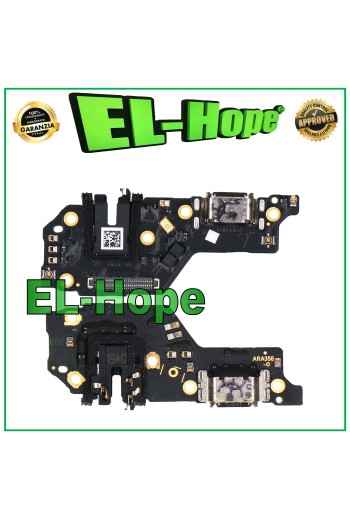
BATTERY DIAGNOSTICS ERROR REMOVAL PERCENTAGE CHARGE FOR IPHONE 12 /12 PRO

BATTERY DIAGNOSTICS ERROR REMOVAL PERCENTAGE CHARGE FOR IPHONE 12 /12 PRO 2815mAh OPEN THE LINK BELOW FOR THE DEMONSTRATION VIDEO. ⬇️ ⬇️ ⬇️ ⬇️ ⬇️ ⬇️ https://www.youtube.com/watch?v=mwL_ev8R56k The battery in question removes the iOS error notification during battery replacement by resetting the charging cycles. The percentage of charge of the new battery can be read again by the iPhone. No transfer of the original chip is required, once the battery has been installed and the procedure described and demonstrated in the video has been followed, the capacity / percentage of charge will be recognized again by the iPhone. The operation does not require any programmer or microsoldering Installation procedure: • Insert the self-diagnosing battery into the device and connect it to the motherboard • Turn on the device using the On/Off button • Connect to a WiFi or GSM network • Go to Settings > General > Info > Parts and service history > Restart and complete the repair • In the Repair and service area, continue the configuration, connect to WiFi and accept the Privacy • Wait for the automatic completion of the configuration: the battery will be recognized correctly • Continue and restart to complete the replacement without error messages and with maximum capacity • Once the installation is complete, in Settings you will find: Battery capacity: 100% Status: Used DO NOT LOSE THE DOUBLE-SIDED ADHESIVES PROVIDED OR DAMAGE THE BLISTER, AS THIS WILL VOID THE WARRANTY.

TOUCH SCREEN LCD DISPLAY + ORIGINAL SERVICE FRAME OPPO RENO 8 5G CPH2359 PGBM10

ORIGINAL SERVICE OPPO RENO 8 5G CPH2359 PGBM10 TOUCH SCREEN LCD DISPLAY GLASS ASSEMBLED WITH FRAME COLOR: BLACK Features and technical specifications: - TFT screen + FRAME - Perfect fit digitization flex - Anti-dust net - Specific for OPPO RENO 8 5G CPH2359 PGBM10 - ORIGINAL product IN SERVICE PACK - Backlighting: ADJUSTABLE - Installation by a professional in the sector is recommended DO NOT REMOVE THE FILMS BEFORE TESTING THE PIECE, TO THE PENALTY OF LOSS OF THE WARRANTY

BATTERY DIAGNOSTICS ERROR REMOVAL PERCENTAGE CHARGE FOR IPHONE 12 PRO MAX

BATTERY DIAGNOSTICS ERROR REMOVAL PERCENTAGE CHARGE FOR IPHONE 12 PRO MAX 3687mAh OPEN THE LINK BELOW FOR THE DEMONSTRATION VIDEO. ⬇️ ⬇️ ⬇️ ⬇️ ⬇️ ⬇️ https://www.youtube.com/watch?v=mwL_ev8R56k The battery in question removes the iOS error notification during battery replacement by resetting the charging cycles. The percentage of charge of the new battery can be read again by the iPhone. No transfer of the original chip is required, once the battery has been installed and the procedure described and demonstrated in the video has been followed, the capacity / percentage of charge will be recognized again by the iPhone. The operation does not require any programmer or microsoldering Installation procedure: • Insert the self-diagnostic battery into the device and connect it to the motherboard • Turn on the device using the On/Off button • Connect to a WiFi or GSM network • Go to Settings > General > Info > Parts and service history > Restart and complete the repair • In the Repair and service area, continue the configuration, connect to WiFi and accept the Privacy • Wait for the automatic completion of the configuration: the battery will be recognized correctly • Continue and restart to complete the replacement without error messages and with maximum capacity • Once the installation is complete, in Settings you will find: Battery capacity: 100% Status: Used DO NOT LOSE THE SUPPLIED DOUBLE-SIDED ADHESIVES OR DAMAGE THE BLISTER, AS THIS WILL VOID THE WARRANTY. The battery in question removes the iOS error notification during the replacement of the battery itself by resetting the charge cycles. The charge percentage of the new battery can again be read by the iPhone. No transfer of the original chip is required, once the battery has been installed and the procedure described and demonstrated in the video has been followed, the capacity / percentage of charge will be recognized by the iPhone again. The operation does not require any programmer or microsoldering Installation procedure: • Insert the self-diagnosing battery into the device and connect it to the motherboard • Turn on the device using the On/Off button • Connect to a WiFi or GSM network • Go to Settings > General > Info > Parts and service history > Restart and complete the repair • In the Repair and service area, continue the configuration, connect to WiFi and accept the Privacy • Wait for the automatic completion of the configuration: the battery will be recognized correctly • Continue and restart to complete the replacement without error messages and with maximum capacity • At the end of the installation, in Settings you will find: Battery capacity: 100% Status: Used DO NOT LOSE THE DOUBLE-SIDED ADHESIVES PROVIDED OR DAMAGE THE BLISTER, TO LOSE THE WARRANTY.

TOUCH SCREEN LCD DISPLAY + ORIGINAL SERVICE FRAME OPPO A78 5G CPH2483 CPH2495

ORIGINAL SERVICE OPPO A78 5G CPH2483 CPH2495 TOUCH SCREEN LCD DISPLAY GLASS ASSEMBLED WITH FRAME COLOR: BLACK Features and technical specifications: - TFT screen + FRAME - Perfect fit digitization flex - Anti-dust net - Specific for OPPO A78 5G CPH2483 CPH2495 - ORIGINAL product IN SERVICE PACK - Backlighting: ADJUSTABLE - Installation by a professional in the sector is recommended DO NOT REMOVE THE FILMS BEFORE TESTING THE PIECE, TO THE PENALTY OF LOSS OF THE WARRANTY

BATTERY DIAGNOSTICS ERROR REMOVAL PERCENTAGE CHARGE FOR IPHONE 15 PRO

BATTERY DIAGNOSTICS ERROR REMOVAL PERCENTAGE CHARGE FOR IPHONE 15 PRO 3274mAh OPEN THE LINK BELOW FOR THE DEMONSTRATION VIDEO. ⬇️ ⬇️ ⬇️ ⬇️ ⬇️ ⬇️ https://www.youtube.com/watch?v=mwL_ev8R56k The battery in question removes the iOS error notification during battery replacement by resetting the charge cycles. The percentage of charge of the new battery can be read again by the iPhone. No transfer of the original chip is required, once the battery has been installed and the procedure described and demonstrated in the video has been followed, the capacity / percentage of charge will be recognized again by the iPhone. The operation does not require any programmer or microsoldering ​ ​ ​Installation procedure: • Insert the self-diagnosing battery into the device and connect it to the motherboard • Turn on the device using the On/Off button • Connect to a WiFi or GSM network • Go to Settings > General > Info > Parts and service history > Restart and complete the repair • In the Repair and service area, continue the configuration, connect to WiFi and accept the Privacy • Wait for the automatic completion of the configuration: the battery will be recognized correctly • Continue and restart to complete the replacement without error messages and with maximum capacity • Once the installation is complete, in Settings you will find: Battery capacity: 100% Status: Used DO NOT LOSE THE DOUBLE-SIDED ADHESIVES PROVIDED OR DAMAGE THE BLISTER, AS THIS WILL VOID THE WARRANTY.
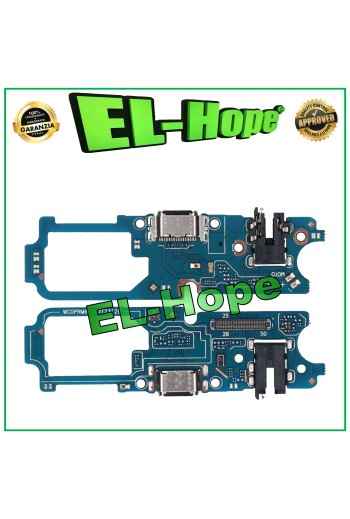
BATTERY DIAGNOSTICS ERROR REMOVAL PERCENTAGE CHARGE FOR IPHONE 13 PRO

BATTERY DIAGNOSTICS ERROR REMOVAL PERCENTAGE CHARGE FOR IPHONE 13 PRO 3095mAh OPEN THE LINK BELOW FOR THE DEMONSTRATION VIDEO. ⬇️ ⬇️ ⬇️ ⬇️ ⬇️ ⬇️ https://www.youtube.com/watch?v=mwL_ev8R56k The battery in question removes the iOS error notification during battery replacement by resetting the charging cycles. The percentage of charge of the new battery can again be read by the iPhone. No transfer of the original chip is required, once the battery has been installed and the procedure described and demonstrated in the video has been followed, the capacity / percentage of charge will again be recognized by the iPhone. The operation does not require any programmer or microsoldering ​ ​ ​Installation procedure: • Insert the self-diagnosing battery into the device and connect it to the motherboard • Turn on the device using the On/Off button • Connect to a WiFi or GSM network • Go to Settings > General > Info > Parts and service history > Restart and complete the repair • In the Repair and service area, continue the configuration, connect to WiFi and accept the Privacy • Wait for the automatic completion of the configuration: the battery will be recognized correctly • Continue and restart to complete the replacement without error messages and with maximum capacity • Once the installation is complete, in Settings you will find: Battery capacity: 100% Status: Used DO NOT LOSE THE DOUBLE-SIDED ADHESIVES PROVIDED OR DAMAGE THE BLISTER, AS THIS WILL VOID THE WARRANTY.

BATTERY DIAGNOSTICS ERROR REMOVAL PERCENTAGE CHARGE FOR IPHONE 14 PRO MAX

BATTERY DIAGNOSTICS ERROR REMOVAL PERCENTAGE CHARGE FOR IPHONE 14 PRO MAX 4323mAh OPEN THE LINK BELOW FOR THE DEMONSTRATION VIDEO. ⬇️ ⬇️ ⬇️ ⬇️ ⬇️ ⬇️ https://www.youtube.com/watch?v=p8Rq59y9CsA The battery in question removes the iOS error notification during battery replacement by resetting the charging cycles. The percentage of charge of the new battery can again be read by the iPhone. No transfer of the original chip is required, once the battery has been installed and the procedure described and demonstrated in the video has been followed, the capacity / percentage of charge will again be recognized by the iPhone. The operation does not require any programmer or microsoldering Installation procedure: • Insert the self-diagnosing battery into the device and connect it to the motherboard • Turn on the device using the On/Off button • Connect to a WiFi or GSM network • Go to Settings > General > Info > Parts and service history > Restart and complete the repair • In the Repair and service area, continue the configuration, connect to WiFi and accept the Privacy • Wait for the automatic completion of the configuration: the battery will be recognized correctly • Continue and restart to complete the replacement without error messages and with maximum capacity • Once the installation is complete, in Settings you will find: Battery capacity: 100% Status: Used DO NOT LOSE THE DOUBLE-SIDED ADHESIVES PROVIDED OR DAMAGE THE BLISTER, AS THIS WILL VOID THE WARRANTY.
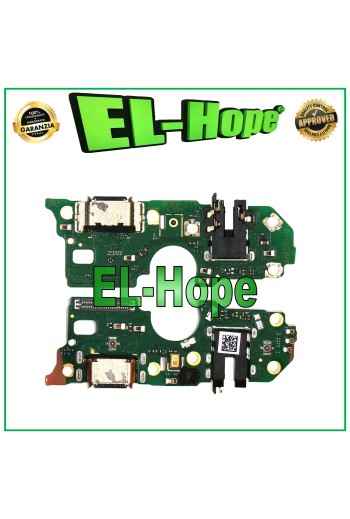
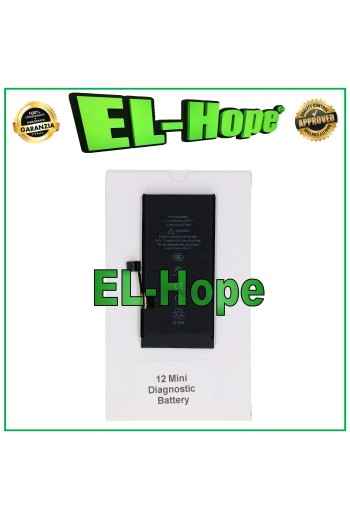
BATTERY DIAGNOSTICS ERROR REMOVAL PERCENTAGE CHARGE FOR IPHONE 12 MINI

BATTERY DIAGNOSTICS ERROR REMOVAL PERCENTAGE CHARGE FOR IPHONE 12 MINI 2227mAh OPEN THE LINK BELOW FOR THE DEMONSTRATION VIDEO. ⬇️ ⬇️ ⬇️ ⬇️ ⬇️ ⬇️ https://www.youtube.com/watch?v=mwL_ev8R56k The battery in question removes the iOS error notification during battery replacement by resetting the charging cycles. The percentage of charge of the new battery can again be read by the iPhone. No transfer of the original chip is required, once the battery has been installed and the procedure described and demonstrated in the video has been followed, the capacity / percentage of charge will again be recognized by the iPhone. The operation does not require any programmer or microsoldering Installation procedure: • Insert the self-diagnosing battery into the device and connect it to the motherboard • Turn on the device using the On/Off button • Connect to a WiFi or GSM network • Go to Settings > General > Info > Parts and service history > Restart and complete the repair • In the Repair and service area, continue the configuration, connect to WiFi and accept the Privacy • Wait for the automatic completion of the configuration: the battery will be recognized correctly • Continue and restart to complete the replacement without error messages and with maximum capacity • Once the installation is complete, in Settings you will find: Battery capacity: 100% Status: Used DO NOT LOSE THE DOUBLE-SIDED ADHESIVES PROVIDED OR DAMAGE THE BLISTER, AS THIS WILL VOID THE WARRANTY.